Make your screenshots
look stunning.
Turn boring browser screenshots into professional, share-worthy images in seconds. Add backgrounds, shadows, and rounded corners instantly and directly in your browser.
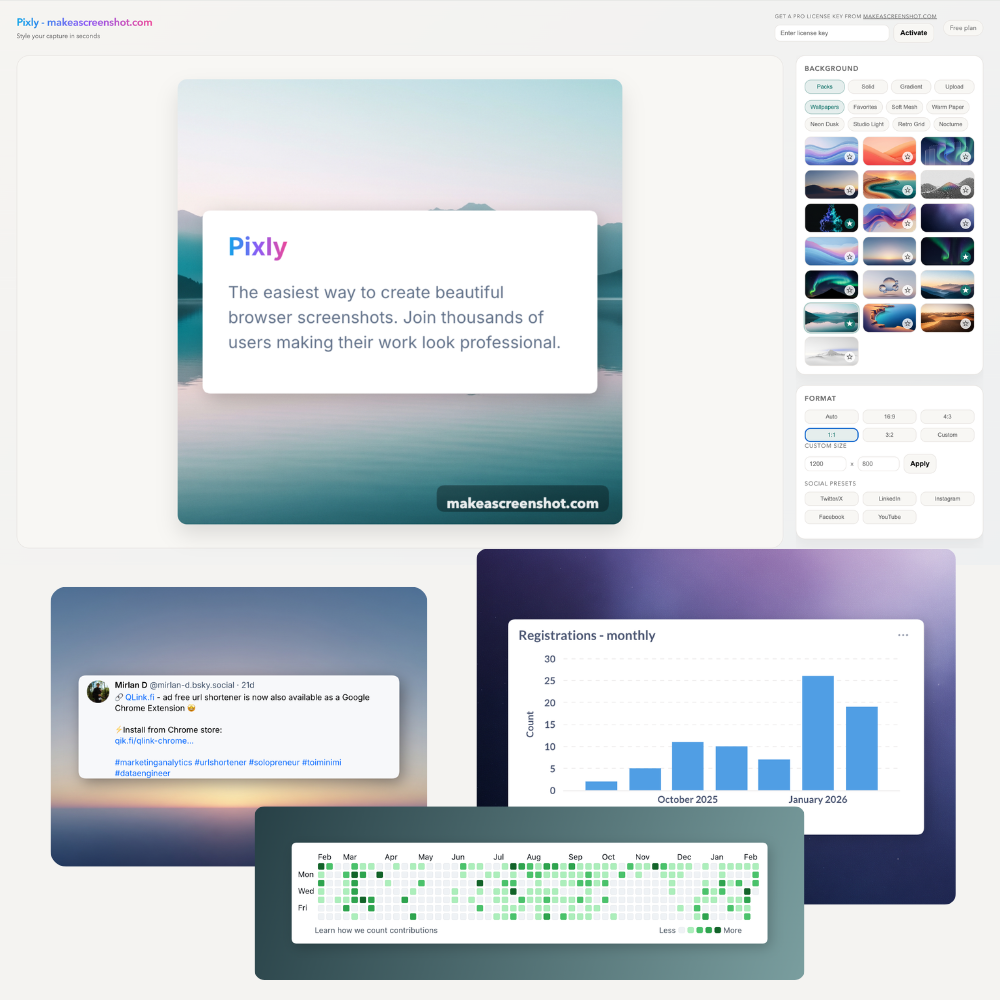
Features
Everything you need to share better.
Beautiful Backgrounds
Choose from curated gradients, solid colors, or wallpapers to make your screenshot pop.
Smart Shadows
Add depth with realistic drop shadows tuned for readability.
Perfect Corners
Round sharp edges for a softer, modern look.
Easy to use
Capture, style, and export in a single streamlined flow.
Export ready
High-res PNGs optimized for sharing and documentation.
Platform optimized sizing
Auto-friendly sizing for social, docs, and presentation slides.
Higher engagement
Make posts more clickable with polished, visual-first imagery.
Time-saving
Skip manual editing, Pixly handles the polish instantly.
Pro features
Remove watermarks and unlock premium customizations.
Pricing
Simple, transparent pricing.
Start free, upgrade once for lifetime Pro features.
Free forever
No credit card$0
- ✓ Capture full page, selection, or visible area
- ✓ Backgrounds, gradients, and wallpapers
- ✓ Export PNGs with watermark
- ✓ Instant in-browser editing
Pro
One-time$9
- ✓ Everything in Free
- ✓ Remove watermark
- ✓ Custom watermark text
- ✓ Lifetime updates
How it works
Capture
Click the extension icon or use the shortcut (Cmd+Shift+P) to capture any page or selection.
Style
The editor opens instantly. Apply backgrounds, adjust padding, and tweak shadows.
Share
Copy to clipboard or download as a high-res PNG. Ready for Twitter/X, Linkedin, Facebook and others.
Frequently Asked Questions
Is Pixly free?
Yes! The core features including backgrounds, shadows, and export are completely free. We offer a Pro plan for removing watermarks and advanced customizations.
Does it work on all websites?
Pixly works on any webpage that Chrome can access. It captures local files and protected pages (like Settings) with some limitations due to browser security policies.
Where are images processed?
Everything happens locally in your browser. Pixly does not upload your screenshots to any server, ensuring 100% privacy.